THE IT IDEAS

  • Home

Friday, 15 March 2013

How to open Multiple Website on browser startup

 THE IT IDEAS     18:03     browser   

Go to Options in the Firefox window

Tools -> Options Menu -> General tab.


Now Write down website names which you wants to open when Browser Starts, like mentioned below.

https://www.google.co.in/|https://www.gmail.com/|mail.yahoo.com/


After setting up website name in Default home click OK and restart the Browser and check.


  Its done Enjoy !!!!! :)
Read More
  • Share This:  
  •  Facebook
  •  Twitter
  •  Google+
  •  Stumble
  •  Digg

Wednesday, 20 February 2013

How to assign IP address with command line

 THE IT IDEAS     12:37     command line, IP   

For Example i am going to give following IP to my desktop
IP = 192.168.1.10
Subnetmask = 255.255.255.0
Default Gateway = 192.168.1.1
Metric = 1

Open Command Prompt 


to check existing IP address write IPCONFIG command 


As you can see existing IP address is 192.168.1.9, now we can change that IP to 192.168.1.10
For change the IP you have to write below mentioned Command.

netsh interface ip set address "Local Area Connection" static ipaddr subnetmask gateway metric

netsh interface ip set address "Local Area Connection" static 192.168.1.10 255.255.255.0 192.168.1.1 1

After the run command you just need to check the IP address again with IPCONFIG command


Its done Enjoy !!!!! :)


Read More
  • Share This:  
  •  Facebook
  •  Twitter
  •  Google+
  •  Stumble
  •  Digg

Saturday, 12 January 2013

Frustrated with sign in all messenger in pc

 THE IT IDEAS     11:58     chat, gmail   

Now a days all are using different kind chatting messenger at each and every area, to get them all in one place you needs to login each and every Messenger like yahoo, gmail, Facebook, Hotmail and many more, and this process will make our pc very slow and frustrated start up of your day. 

But, in market we have some of free messenger client who are providing multi chat facility to touch with all of them,


1 ) Digsby is a multiprotocol IM client that lets you chat with all your friends on AIM, MSN, Yahoo, ICQ, Google Talk, and Jabber with one simple to manage buddy list.


2 ) Trillian has great support for many different chat networks, including Facebook, Skype, Google, MSN, AIM, ICQ, XMPP, Yahoo!, and more. We're also working harder than ever before to adopt open standards and open communication and are committed to documenting Trillian's internal protocols.
 3 ) Pidgin is an easy to use and free chat client used by millions. Connect to AIM, MSN, Yahoo, and more chat networks all at once.


4 )  Mig33 Our community has created the world's best place for chat. You can meet new friends, connect with popular IMs, play games and much more ... 

5 ) Connect with your Nimbuzz friends and all your friends across popular instant messaging - and social networks. Use our simple ‘drag n’ drop’ function to share music, movies and photos with your friends.
With one log-in you connect with friends on Nimbuzz, Facebook, Windows Live Messenger (MSN), Yahoo and Google Talk.
 

 Its done Enjoy !!!!! :)
 
Read More
  • Share This:  
  •  Facebook
  •  Twitter
  •  Google+
  •  Stumble
  •  Digg

Tuesday, 8 January 2013

How to disable Username and Password in Network pc

 THE IT IDEAS     17:38     disable, network password   

1. Click Start

2. Control Panel

3. Network and Internet

4. Network and Sharing Center

5. Click Choose homegroup and sharing options in the lower list (this opens Control Panel\Network and Internet\Network and Sharing Center\Homegroup)

5. Click Change advanced sharing settings... (this opens Control Panel\Network and Internet\Network and Sharing Center\Advanced sharing settings)

6. The setting right before the last one is: Password protected sharing!

7. Choose Turn off password protected sharing


 Its done Enjoy !!!!! :)
Read More
  • Share This:  
  •  Facebook
  •  Twitter
  •  Google+
  •  Stumble
  •  Digg

Tuesday, 1 January 2013

How to know windows Installation Date

 THE IT IDEAS     21:50     installation   

Open Command Prompt 

Start  >  Run > CMD > Enter 

Write command as below "systeminfo"  and enter


 after execute the command it will display all all kind of system information like below


  Its done Enjoy !!!!! :)

Read More
  • Share This:  
  •  Facebook
  •  Twitter
  •  Google+
  •  Stumble
  •  Digg

Saturday, 22 December 2012

How to make Google Chrome Theme

 THE IT IDEAS     21:23     google   

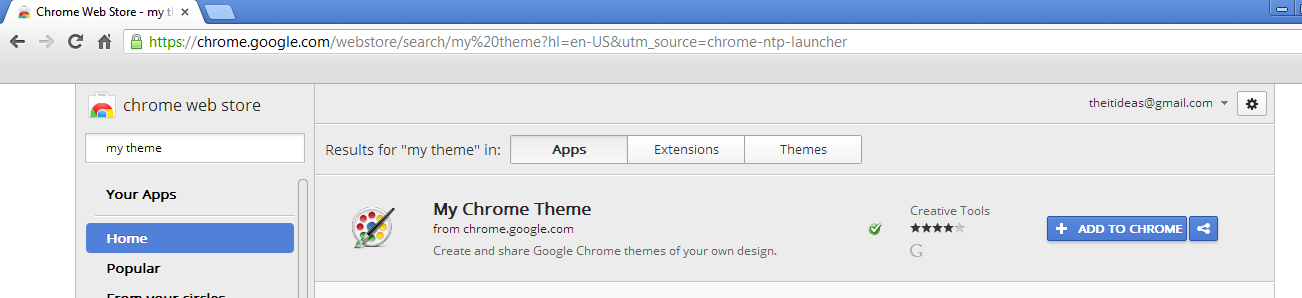
Open Google Chrome and open Chrome web store and search my chrome theme


Click on Add to Chrome


Click on Add to downloading and installing in Google chrome


After complete installation it will appear like below MY CHROME THEME
click on my chrome theme icon


Click to start Making Theme

It will give options like above to choose any photo or use webcam to click a picture

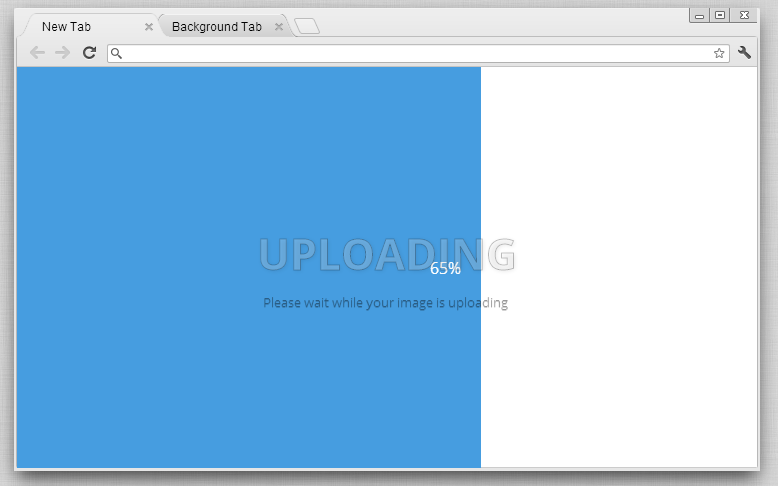
I choose to upload picture to make my own theme for google chrome 

After compete the uploading of picture it will giving some options to adjust picture better in theme


After complete final adjustment click on Continue to step 2


In next option it will give option to set the color of your chrome theme like above and after set color of theme click on Continue to step 3


Your theme is ready just click Make my theme as above and apply your own theme.


 Its done Enjoy !!!!! :)

Read More
  • Share This:  
  •  Facebook
  •  Twitter
  •  Google+
  •  Stumble
  •  Digg

Friday, 14 December 2012

How to open favorites website with one button

 THE IT IDEAS     19:08     browser   

Open latest Internet explorer and browse your favorite any website.(I was taking google.com for example) Now, click on Favorites menu then "Add to Favorites Bar"


You will able to see Google tab as below, do right click on that and open Properties


You will get the screen as below click on "Shortcut Key" then assign any shortcut key to open your favorites website. now whenever you open browser just press "F11" it will open google.com automatically.


Just follow this instruction in internet explorer this all shortcuts work in another browser also.

Its done Enjoy !!!!! :)


Read More
  • Share This:  
  •  Facebook
  •  Twitter
  •  Google+
  •  Stumble
  •  Digg
Newer Posts Older Posts Home

Like Us !!!

Recent Posts

Blog Archive

  • ▼  2016 (1)
    • ▼  April (1)
      • How to Install PHP 7.0, Apache 2.4.18, & MySQL 5.7...
  • ►  2015 (12)
    • ►  August (1)
    • ►  May (2)
    • ►  April (8)
    • ►  March (1)
  • ►  2014 (23)
    • ►  December (8)
    • ►  November (12)
    • ►  April (2)
    • ►  March (1)
  • ►  2013 (7)
    • ►  December (1)
    • ►  April (1)
    • ►  March (1)
    • ►  February (1)
    • ►  January (3)
  • ►  2012 (15)
    • ►  December (6)
    • ►  November (9)

Categories

apache2 EC2 error mysql php ubuntu aws aws rds browser github installation linux mount s3 AWS Bucket CentOS Computer DocumentRoot change How to Benchmarking Webserver IP LAMP Restart Computer SCP command SQL SERVER XRDP administrator amazon rds backup basic commands chat command line disable download drupal ec2.chroot environment external storage device fstab functions geoip gmail google home page iis instance internet java mod rewrite mongodb multiple login network password one password php5 php5-fpm php7 private browsing python repair filesystem repo reset password rhel sa password same computer script sftp share skype ssh tomcat ubuntu 16.04 ubuntu16 visudo windows 8 youtube
JobsMagBlogJobsMag.InThingsGuide

Popular Posts

  • MySQL Basic Commands for Linux
    How to login into mysql prompt For Remote MySQL Server. # [mysql dir]/bin/mysql -h hostname -u root -p   e.g. [mysql dir]/bin/mysql -h...
  • How to make Google Chrome Theme
    Open Google Chrome and open Chrome web store and search my chrome theme Click on Add to Chrome     Click on Add to downloadi...
  • How to run a simple PHP web server
    # php -S localhost:8000 -t /path/to/folder/directory Above command give output like below PHP 5.6.4-4ubuntu6 Development Server started...

Copyright © THE IT IDEAS | Powered by Blogger